Strategy / Design / Build / Operate
Ideas, implemented.
Implemented Today turns business ideas and complex operational challenges into working digital products, automated processes and connected systems.
- who owns this step?: becomes An owner on every step (People)
- the spreadsheet everyone edits: becomes One business application (Systems)
- clients keep emailing for updates: becomes A client portal (People)
- data in too many places: becomes One source of truth (Systems)
- approvals buried in email: becomes An approval workflow (Processes)
- invoices typed by hand: becomes Invoices, automated (Processes)
- the report nobody wants to build: becomes Reports on a schedule (Processes)
- that old tool with no API: becomes The old tool, connected (Systems)
- access for everyone, or no one: becomes Roles and permissions (People)

People + Processes + Systems, brought together by implementation.
Implemented Today
Operations rarely break for lack of software. They break where people, processes and systems meet and nobody built the connection. That is where we work.
- People
- The teams, roles and clients who do the work, and what each of them needs to see.
- Processes
- How work really moves: steps, approvals, handoffs and the rules behind them.
- Systems
- The applications, data and integrations the work runs on, new and old.
Implemented. Implemented Today designs, builds and operates the applications, automations and integrations that let a business run as one system. We start from how the work actually happens, and we stay until it runs.
What we do
Five ways in. One standard: it has to work.
Most engagements mix several of these. We start from the problem and bring whatever it takes to solve it.
-
We configure the common parts quickly: entities, pages, menus, fields, formulas, conditional formatting and permissions. Then we write real code for everything that makes your business different. Internal tools, client portals, and native mobile apps with Flutter when the work happens on the move.
Talk to us about this -
We turn manual routines into reliable workflows: scheduling, invoicing, approvals, calculations and the handoffs between systems. Event-driven and serverless, so work moves the moment something actually happens.
Talk to us about this -
We connect platforms through their APIs and reach legacy applications that have none. Accounting, CRM, HR, advertising, commerce, messaging and industry systems, kept in sync so every team works from the same data.
Talk to us about this -
We design on Google Cloud and Firebase: serverless functions, managed databases and storage, BigQuery for data, Looker or Power BI for reporting. AI goes where it earns its place, from assistants to speech and document processing.
Talk to us about this -
We map processes, systems, people and roles, decide what to fix first and turn the plan into tracked work, with Transformation OS as the shared picture. After launch we stay on as your product team, or hand over to yours.
Talk to us about this
Our products
We build products. Then we run them.
Five products of our own, each aimed at a different operational problem. Every one is designed, built and operated by Implemented Today.
-
 Transformation OS
 Your organization, in one connected model.
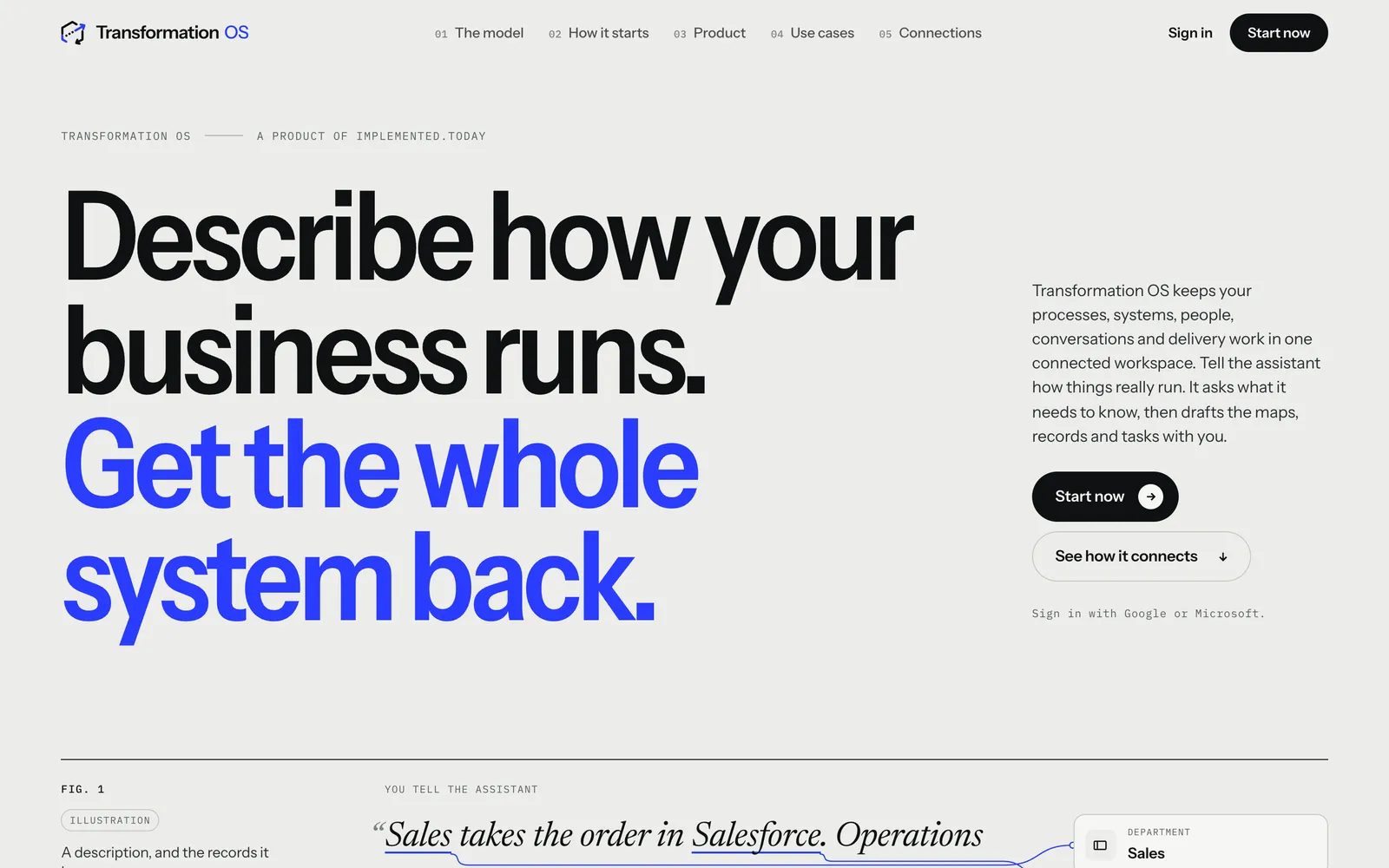
Captured from the live site on 29 September 2026. Transformation OS brings information about how an organization runs into one place: processes, systems, people, roles, delivery work and the relationships between them. Its conversational assistant helps turn what people know into process maps, organizational models and tracked work.
What it does
- Process maps
- People, roles and departments
- Delivery work and tasks
- Conversational assistant
Open Transformation OS (opens in a new tab) transformation.implemented.today -
 Hub
Hub The control center behind our client applications.
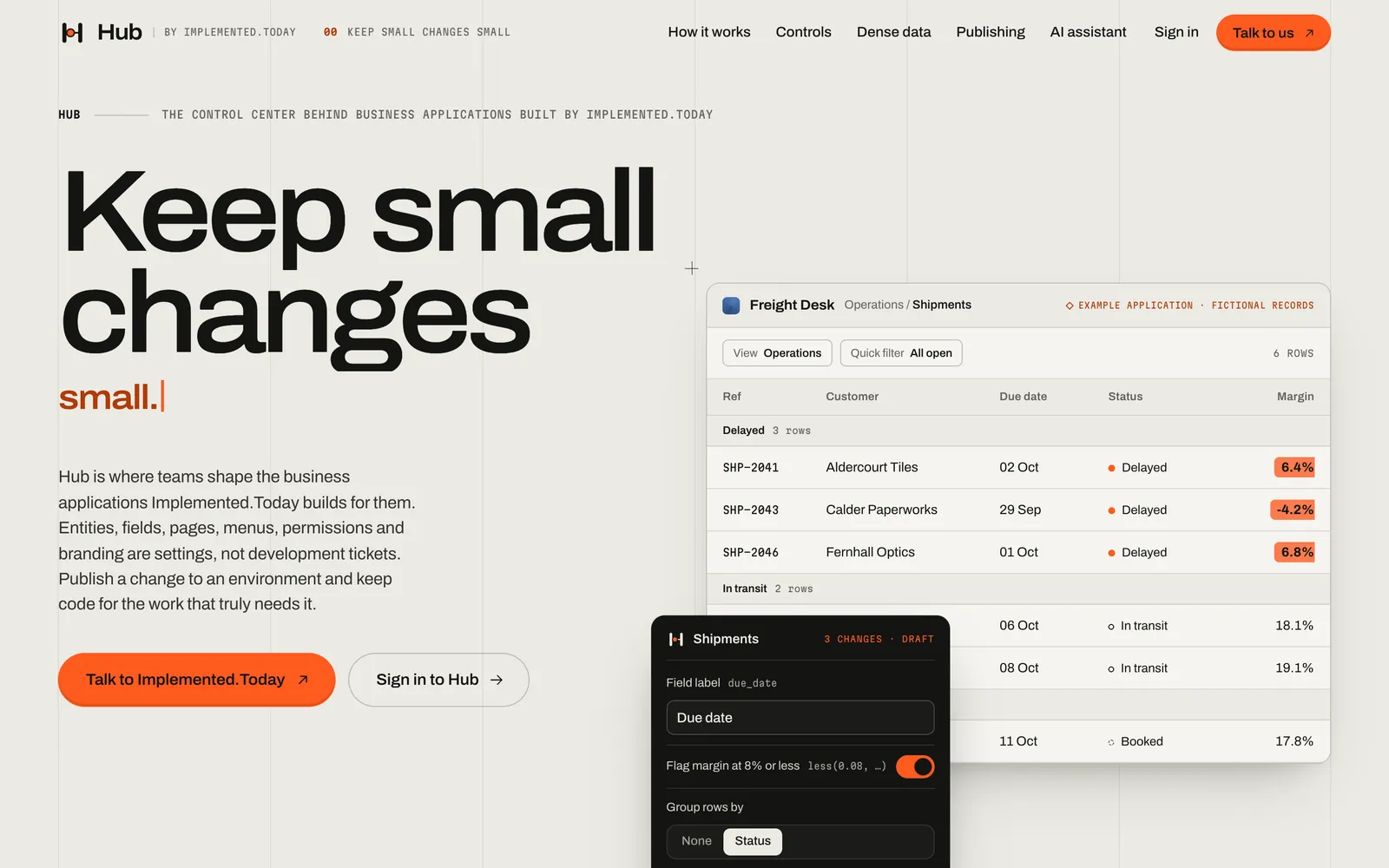
Captured from the live site on 29 September 2026. Hub is where the business applications we build are configured. Entity schemas, fields, pages, menus, columns, formulas, conditional formatting, permissions, branding and feature availability are settings, published to an environment as versions that can be rolled back.
What it does
- Schemas, pages and menus
- Formatting and formulas
- Permissions and branding
- Versioned publishing with rollback
AI-assisted changes are the direction Hub is heading, not a released feature.
Visit Hub (opens in a new tab) hub.implemented.today -
 Applaud Today
 Recognition that says exactly what somebody did.
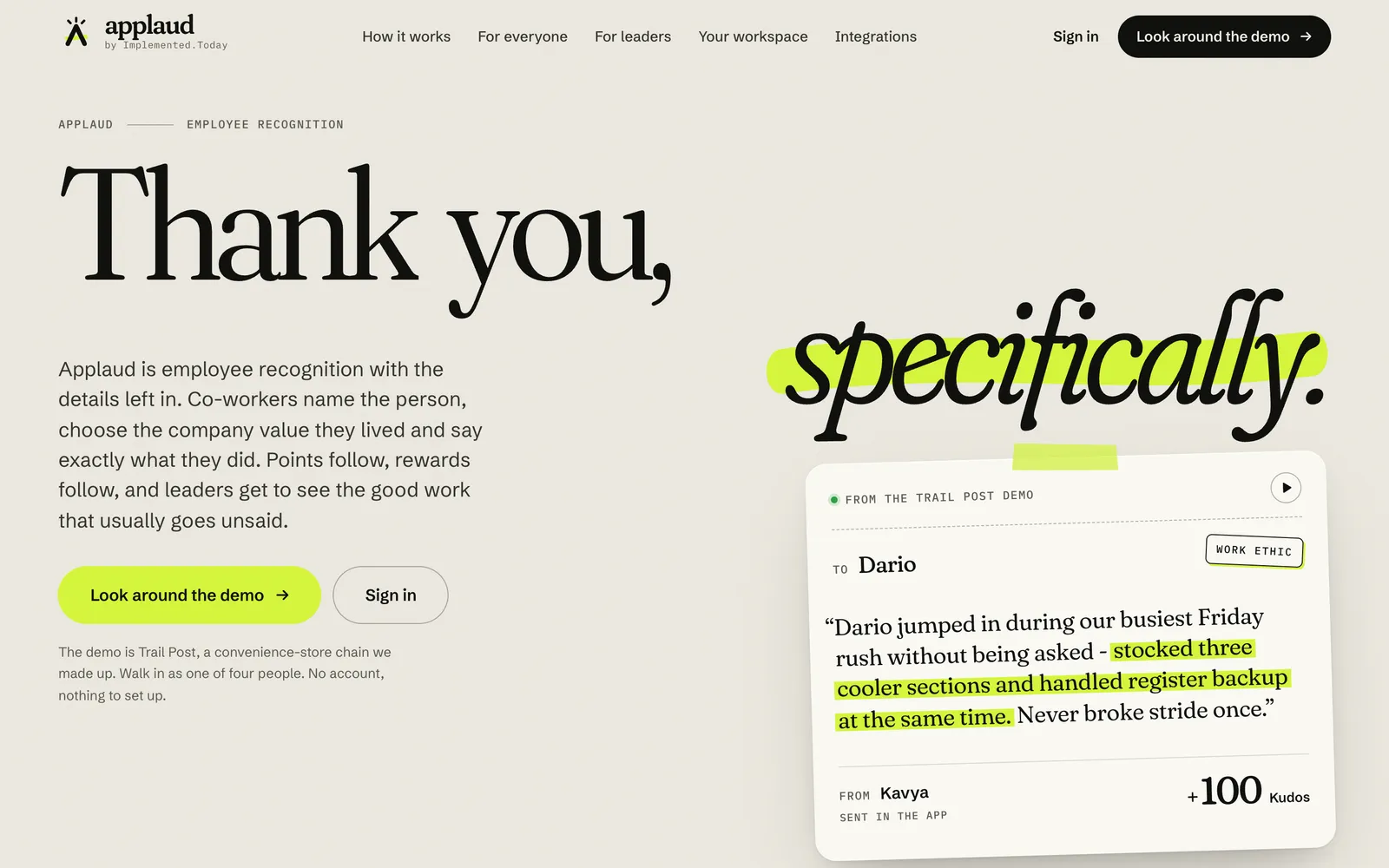
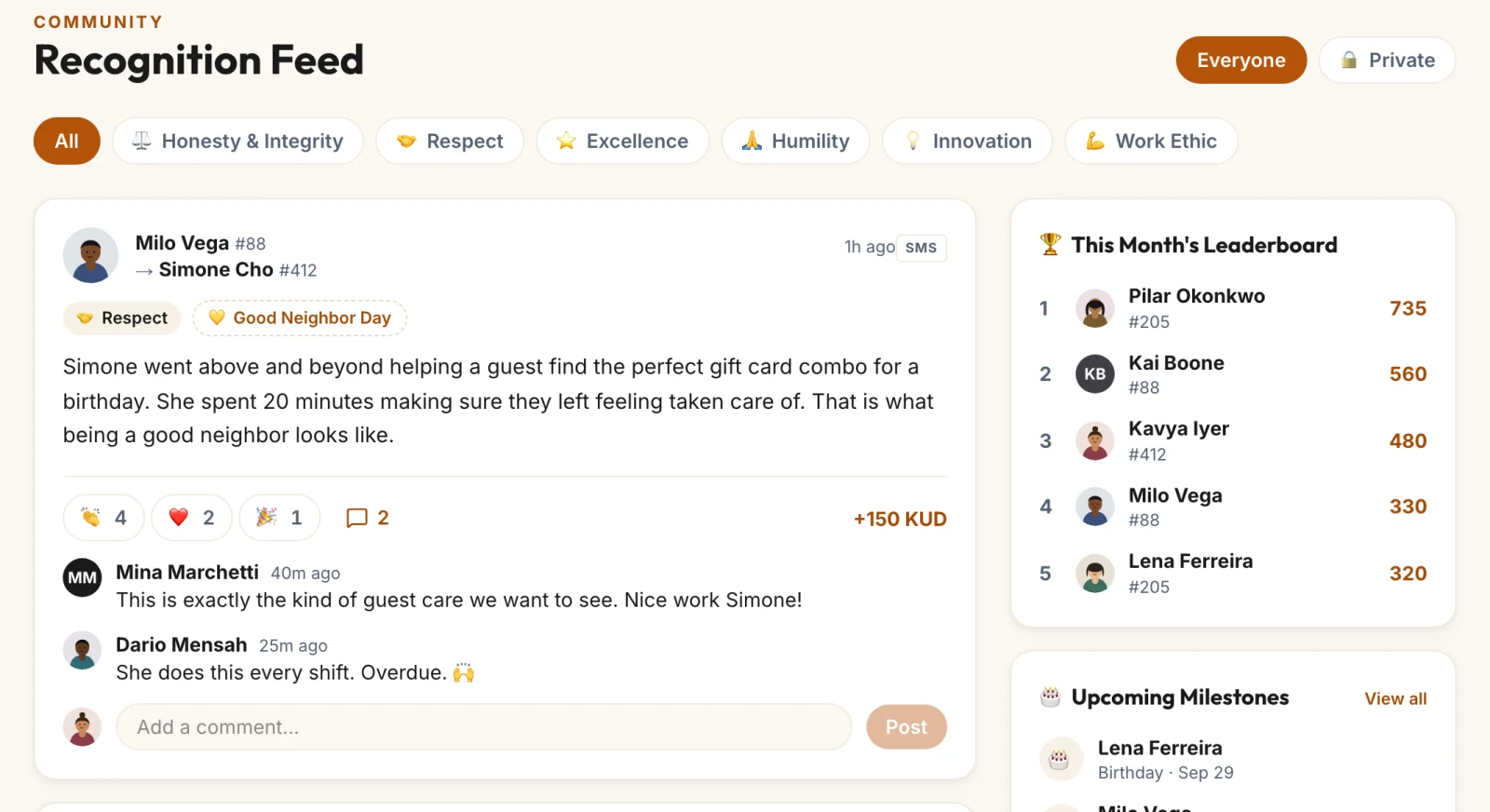
Captured from the live site on 29 September 2026. Applaud Today helps organizations recognize employees and celebrate contributions. Co-workers recognize each other against the company’s own values, points turn into rewards, and managers and program owners run budgets, approvals, awards and pulse surveys.
What it does
- Peer recognition
- Company values
- Points and rewards
- Programs for managers
-
 Proposal Today
 From a client brief to an approved proposal.
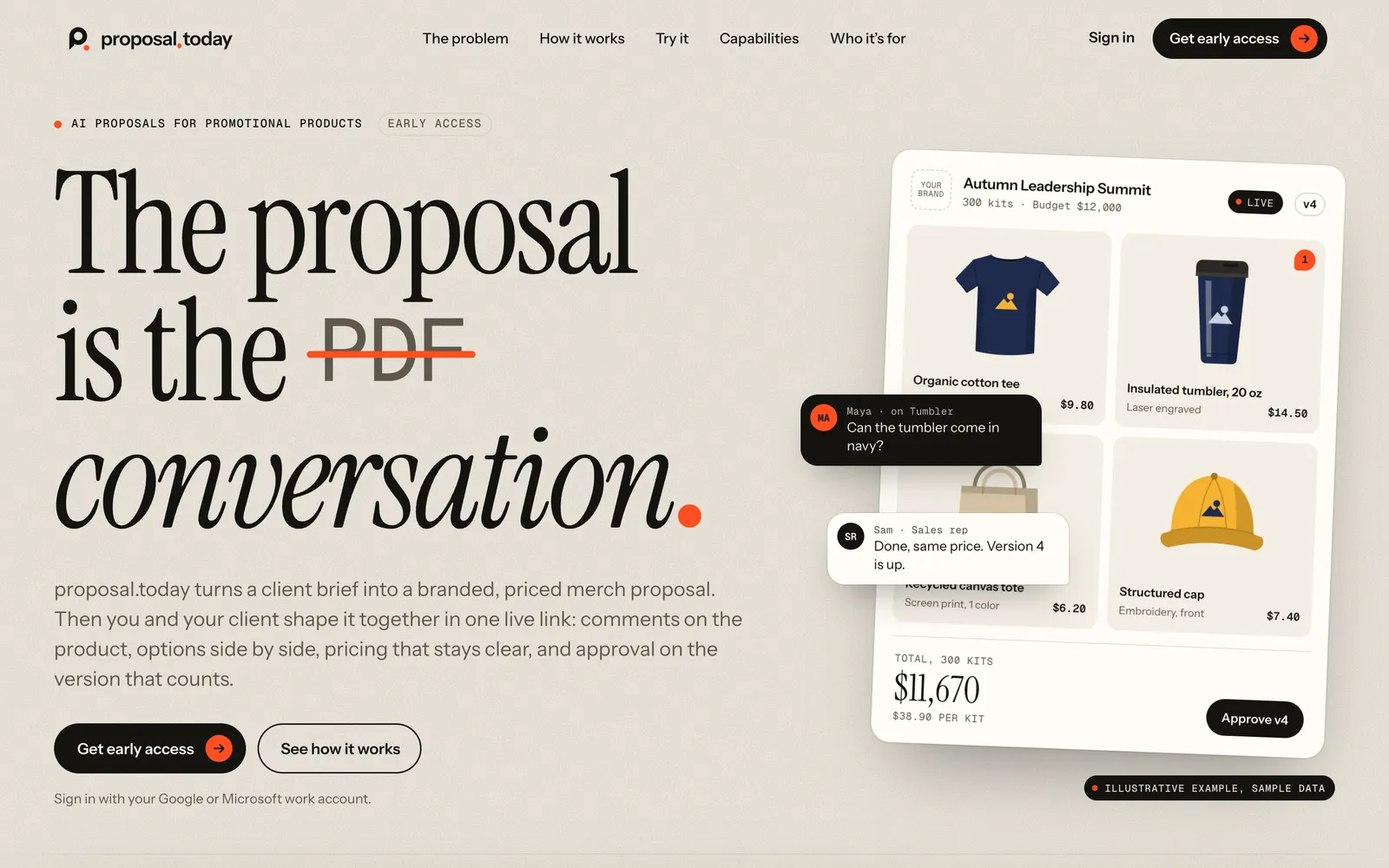
Captured from the live site on 29 September 2026. Proposal Today is an AI-assisted proposal experience for promotional products. It aims to turn a client brief into a branded, priced proposal that clients and suppliers refine and approve together, in one live link.
What it is being built to do
- Promotional products
- AI-assisted drafting
- Refined and approved together
Early access is open. The proposal workspace itself is being built now.
Join early access (opens in a new tab) proposal.today -
 Donor Today
 Help donors give again.
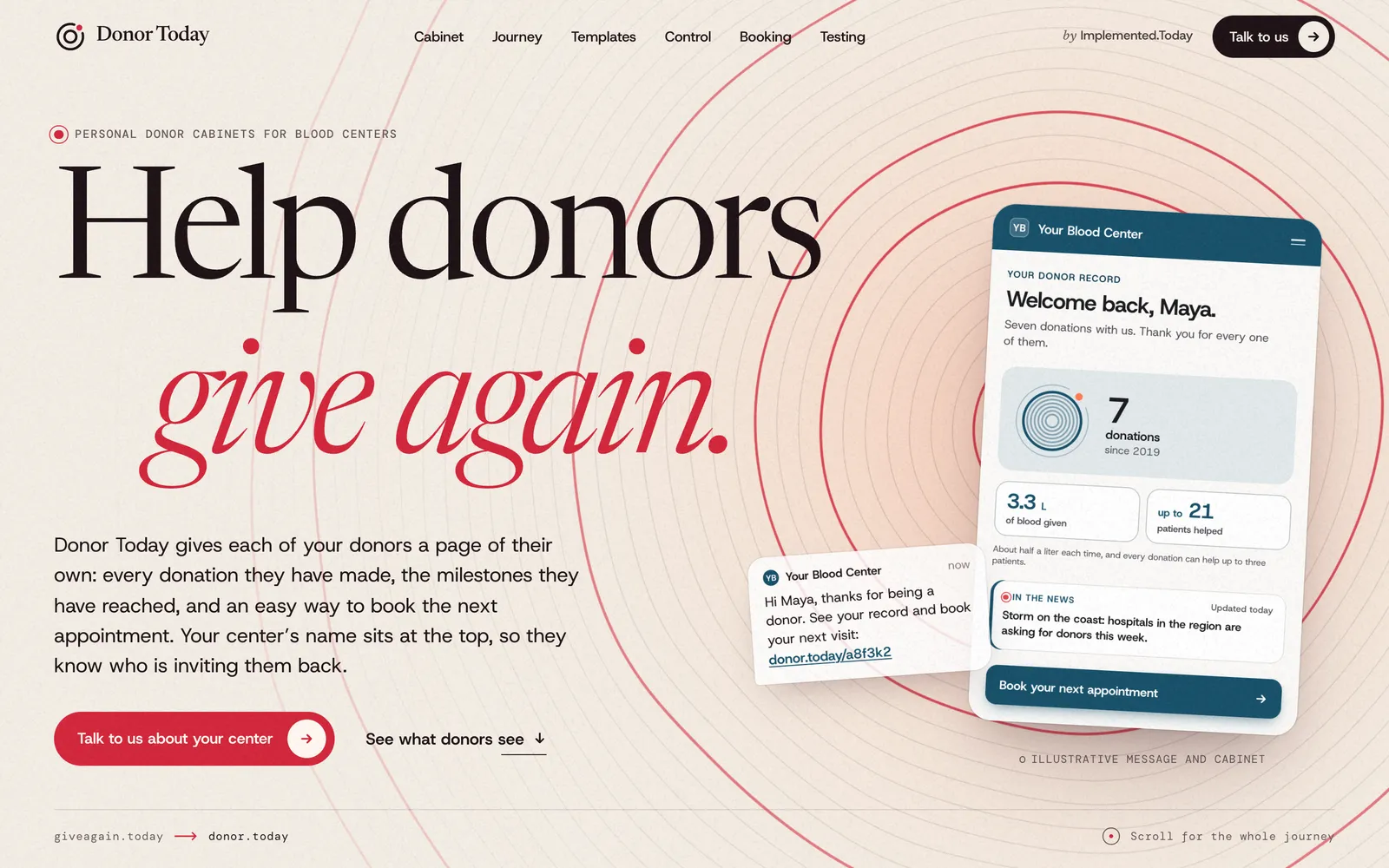
Captured from the live site on 29 September 2026. Donor Today is a product in development for blood centers. It is designed to give every donor a personal cabinet with their donation history, achievements, messages written for them and a clear path to book the next appointment, with templates and conditions each center configures for its donor groups.
What it is being built to do
- Personal donor cabinet
- History and achievements
- Tailored messages
- A path to the next booking
In development. Blood centers can talk to us about it now.
Visit Donor Today (opens in a new tab) donor.today
Selected work
Systems we can describe. Clients we don’t name.
Client names stay private. What we can share is what we built, the kind of business it serves and what it connects to.
- 01 Delivery scheduled 02 Ticket calculated 03 Invoice generated 04 Posted to accounting
Every delivery runs through pricing, tax and volume-tier calculations. Invoices are generated and posted to accounting with their PDFs, alongside tax reports, a quote app, gallons reconciliation and imports of legacy billing data.
Connected to
- Zoho CRM
- Zoho Books
- Zoho Creator
- Bill.com
- DTN price files
- Power BI Embedded
- BigQuery
- 01 Ad networks 02 Budgets and pacing 03 Alerts 04 Client reports
Accounts and campaigns sync in and changes push back out: bid and budget calculators, spend caps, ad schedules, flight shifts, pauses, automated alerts, monthly reports and an AI assistant. A companion platform audits landing pages for tracking tags, pixels, forms and page speed, then keeps watching them.
Connected to
- Google Ads
- Meta Ads
- Microsoft Ads
- LinkedIn Ads
- TikTok
- The Trade Desk
- Campaign Manager 360
- CallRail
- BigQuery
- Snowflake
- 01 CRM deal 02 Quote 03 Project 04 Linguist 05 Delivery
Two-way sync of projects, quotes, clients, vendors, price lists, payables and receivables with the translation management system. Managers assign the work; linguists get an audio and video transcript editor with segment split and merge, tags, QA annotations and spell-check in eight languages.
Connected to
- XTRF
- Nutshell CRM
- memoQ
- Google Speech-to-Text
- Google Drive
- Gemini
- 01 Survey request 02 Install project 03 Network record 04 Subscriber portal
Circuits and devices kept in step with the network’s source of truth, line-of-sight surveys, install projects and site inspection reports. For apartment and condo buildings, a subscriber portal with billing, invoice history, support tickets, a knowledge base and referrals.
Connected to
- NetBox
- Zoho CRM
- Zoho Desk
- Zoho Subscriptions
- Google Drive
- 01 Donor files 02 Programs 03 SMS and RCS 04 Reporting
Donor and appointment files arrive from the center and feed automated recruitment, recovery and referral programs. Centers also run their own campaigns, with personalized messages, blood-drive targeting, short links, a referral app and reporting.
Connected to
- Twilio
- Plivo
- RCS Business Messaging
- Google Maps
- BigQuery
- SFTP
- 01 Sales order 02 Bill of materials 03 Production plan 04 Delivery route
Bills of materials, inventory, purchase and sales orders, serialized assemblies, a manufacturing plan, replenishment and fulfilment, with delivery routing on Google Maps.
Connected to
- Google Maps
- BigQuery
- 01 HR data 02 Employee programs 03 Supplier catalogs 04 Storefronts
Employee programs built from HR data with payroll-deduction reports, supplier catalogs turned into product feeds for storefronts, and a new headless store with a MedusaJS backend and a Next.js storefront.
Connected to
- SAP SuccessFactors
- JotForm
- MedusaJS
- Magento
- Stripe
- Zoho CRM
Also built: a home management application, an application for realtors, a portal for managing auction operations and many other apps.
The platform behind our client work
Configure what’s common.Code what’s yours.
Our client applications are built on our own application platform. What every business needs (entities, pages, menus, fields, formulas, conditional formatting and permissions) is configuration, managed in Hub and changed without a development cycle. What makes your business different is real code, written for you, with no ceiling.
- 01 Configured in Hub
- Schemas, pages, menus, columns, formulas, formatting, permissions and branding, published per environment with rollback.
- 02 Extended in code
- Angular and Node.js for anything configuration cannot express, and native mobile apps with Flutter.
- 03 Deployed to your cloud
- Serverless and managed on Google Cloud and Firebase, in a project you own.
| Ref | Location | Status | Qty | Price | Total |
|---|---|---|---|---|---|
| ORD-1042 | North yard | Scheduled | 3 | $120 | $360 |
| ORD-1043 | Harbor | Overdue | 8 | $95 | $760 |
| ORD-1044 | Depot 2 | In progress | 5 | $140 | $700 |
| ORD-1045 | East yard | Overdue | 2 | $310 | $620 |
| ORD-1046 | Main street | Done | 12 | $45 | $540 |
Ownership
Yours to keep.
- Your Google Cloud project.
- Your data.
- Your code.
- Your call.
The applications we build run in your own Google Cloud project. You own the data, the infrastructure and the code, business logic included. They keep working without our platform, and you can bring your own developers, work with ours, or both.
Evidence
Proof, not praise.
You won’t find testimonials, client logos or borrowed metrics here. Client names stay private. What we can show is the work: products you can open, recordings of real software, and systems described plainly.
Add a step to a process map
- Order to Cash, mapped across the departments that run it
- Connect the new step to the one it feeds
- Name who runs it, and in which system
- Every step carries its system, owner and role
See who reports to whom
- Everyone in the organization, with role and department
- The same people as a reporting tree
- And as a hierarchy chart, one click away
Turn a question into a task
- Every thread, and the questions still open
- When the answer is work, make it a task
- Tracked in the project, linked to the thread
Read the workspace, then open the work behind a number
- Every project and every status, on one screen
- Any number opens the tasks behind it
- What is on you, and who is on what
- Change the window and the history re-reads
- Where work piles up, and how long it takes
Screen recordings of the working product, in a sample workspace.
- Watch it
- Four recordings of Transformation OS, captured in the working product. Play above
- Try it
- Applaud Today’s public demo: a sample company, four roles, no account needed. applaud.today/demo (opens in a new tab)
- Open it
- Five products with their own sites, live status stated plainly. Our products
- Read it
- Seven client systems, described by what they do and what they connect to. Selected work
Platforms we have integrated with
- Zoho CRM
- Google Ads
- SAP SuccessFactors
- Bill.com
- Meta Ads
- XTRF
- QuickBooks
- NetBox
- Microsoft Ads
- Zoho Books
- MedusaJS
- JotForm
- Google Workspace
- Twilio
- RCS Business Messaging
- LinkedIn Ads
- Stripe
- BigQuery
- Snowflake
- Power BI
- Salesforce
- Magento
- Zoho Desk
- The Trade Desk
- CallRail
- memoQ
- Plivo
- SendGrid
- Yext
- Slack
- Google Maps
- Gemini
- OpenAI
How we work
Done means running.
A recommendation is not the finish line. We take the work from the first conversation to a system people use every day, then keep it improving.
- 01
Strategy
Understand how the business actually runs. Map the people, processes and systems involved, find where the friction is, and agree what to fix first.
You get A shared picture and a plan
- 02
Design
Shape the solution around the work. Data model, screens, workflows and integrations, designed with the people who will use them.
You get A design people recognize as their work
- 03
Build
Configure what is common, code what is unique, connect what already exists. Deliver in working increments you can use and react to.
You get Working software, early and often
- 04
Operate
Run it, watch it, improve it. Stay on as your product team, or hand over to yours with everything they need.
You get A system that keeps up with the business
- 01 Start from the work, not the software.
- 02 Connect what exists before replacing it.
- 03 Configure what’s common. Code what’s yours.
- 04 You own what we build.
Let's talk
What should we implement?
Bring the idea, or the operational problem that won’t go away.
We will schedule a consultation and provide you with an estimate and ideas on how to best achieve your goals.
What helps us prepare
- What you want to change, and why now
- The tools and spreadsheets involved today
- Who does the work, and who decides
- What a good result would look like
Received.
Reference